How to upload the Blogger redirect template
For Blogger Importer Extended · takes about 5 minutes
Once your import is finished, Blogger Importer Extended can send visitors from your old blogspot.com address to your new WordPress site. It does this with a template file that you upload to Blogger. Here’s how to install it.
-
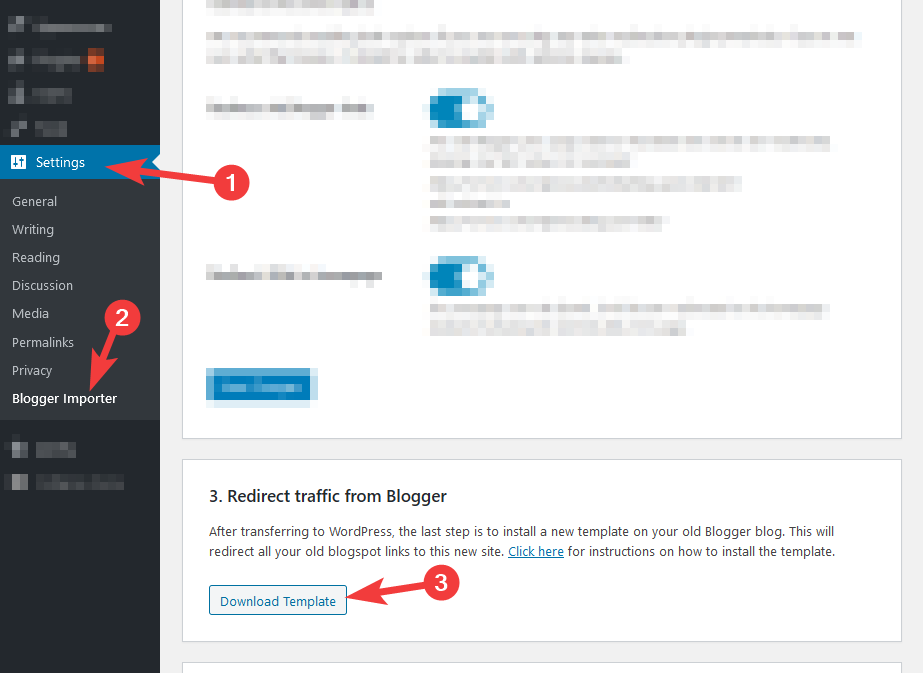
In your WordPress dashboard, download the XML template file from the Blogger Importer Extended plugin:
-
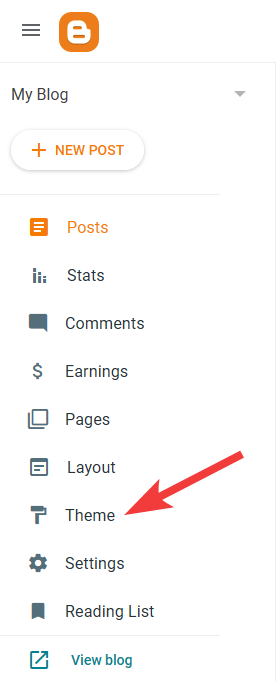
Log in to Blogger and open the “Theme” section of your blog’s dashboard:
-
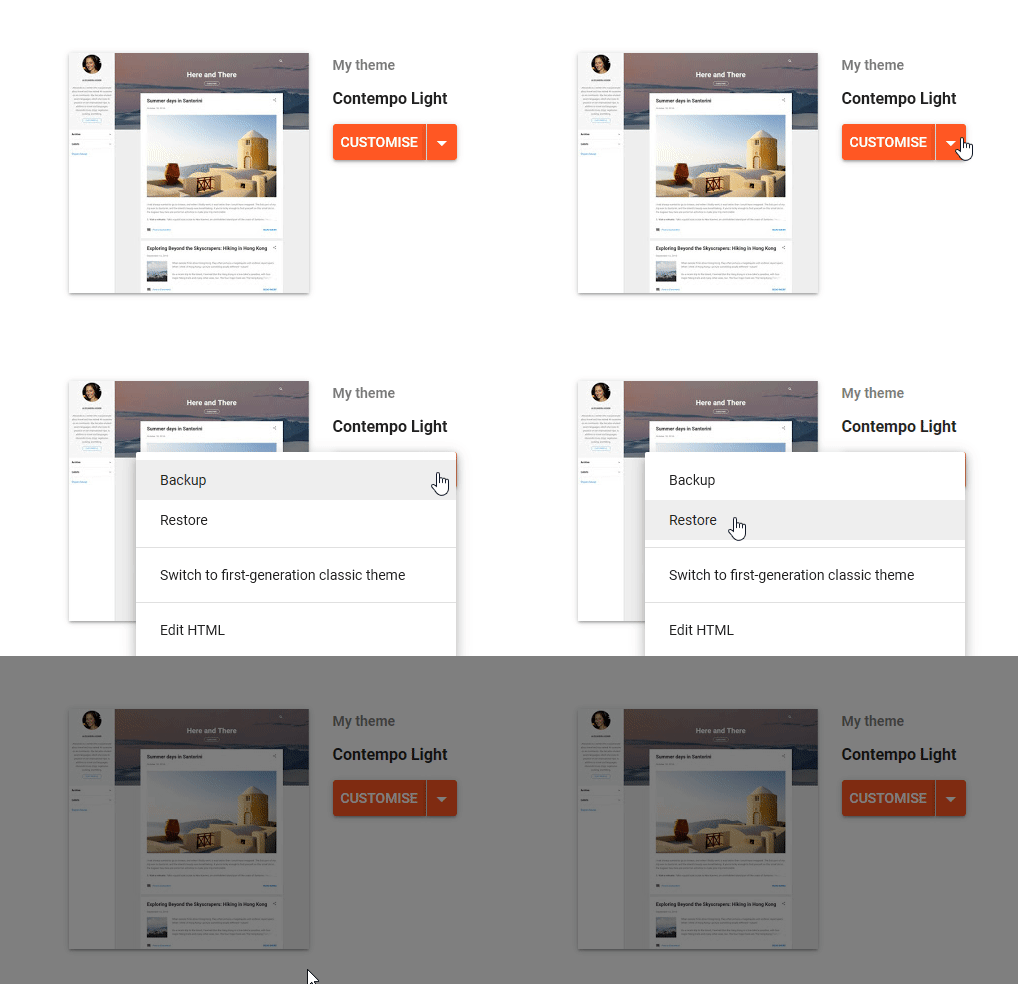
Click the arrow icon beside the “Customize” button, then choose “Restore”:
-
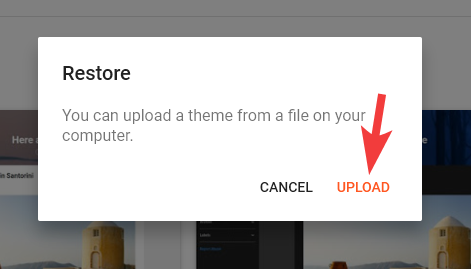
Click “Upload” and pick the XML file you downloaded from WordPress in step 1:
-
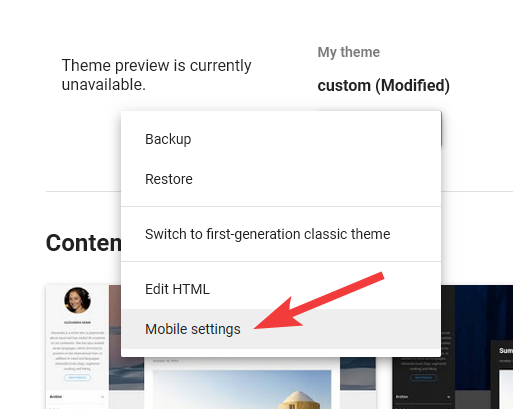
Open the same menu beside “Customize” again, and this time choose “Mobile settings”:
-
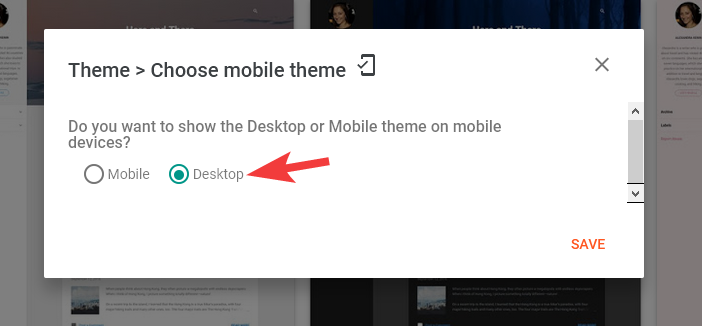
Choose “Desktop” and click “Save”, so mobile visitors are redirected too:
That’s it, the redirect template is installed and your Blogger visitors will now land on your WordPress site.